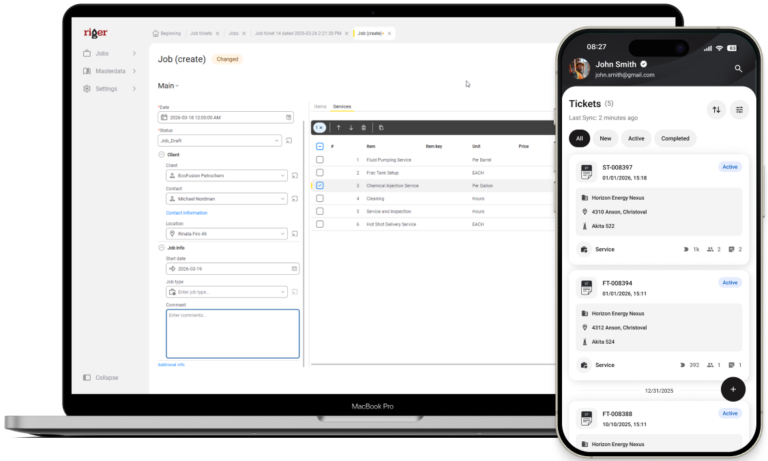
Less paperwork. More billable hours.
Field technicians shouldn’t spend half their day on admin. RigER PRO Mobile replaces clipboards, phone calls, and end‑of‑day paperwork with one offline-first app that captures job details on site and sends them straight to the office.
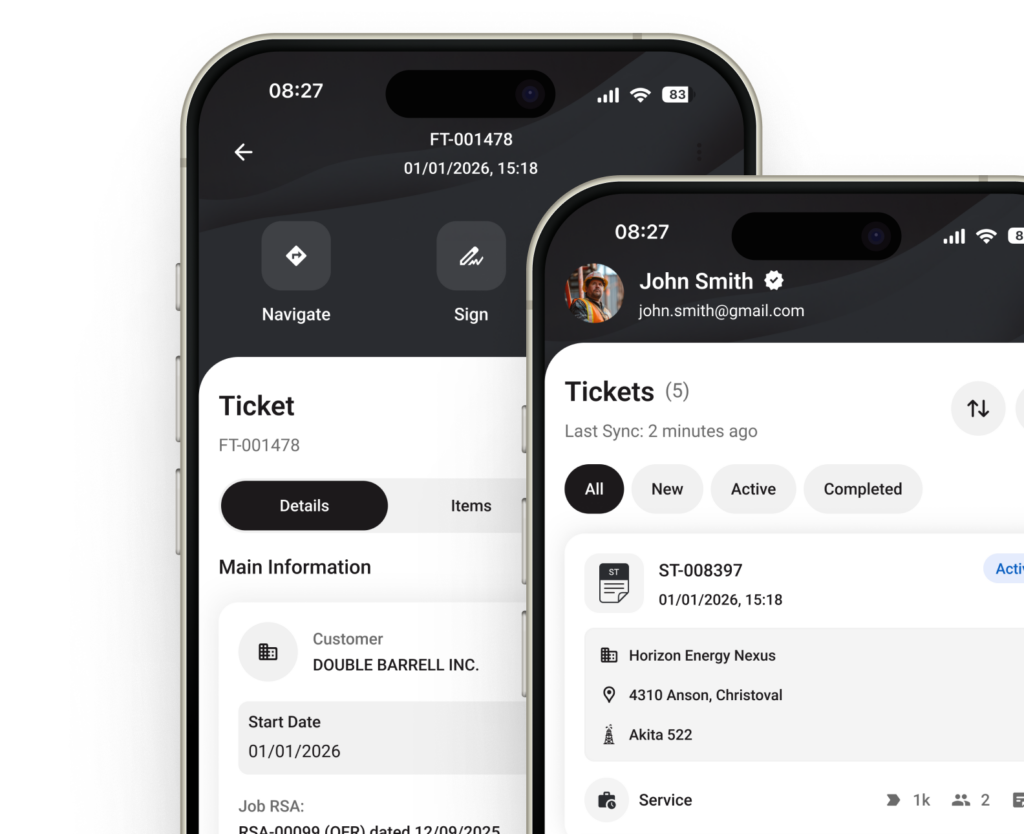
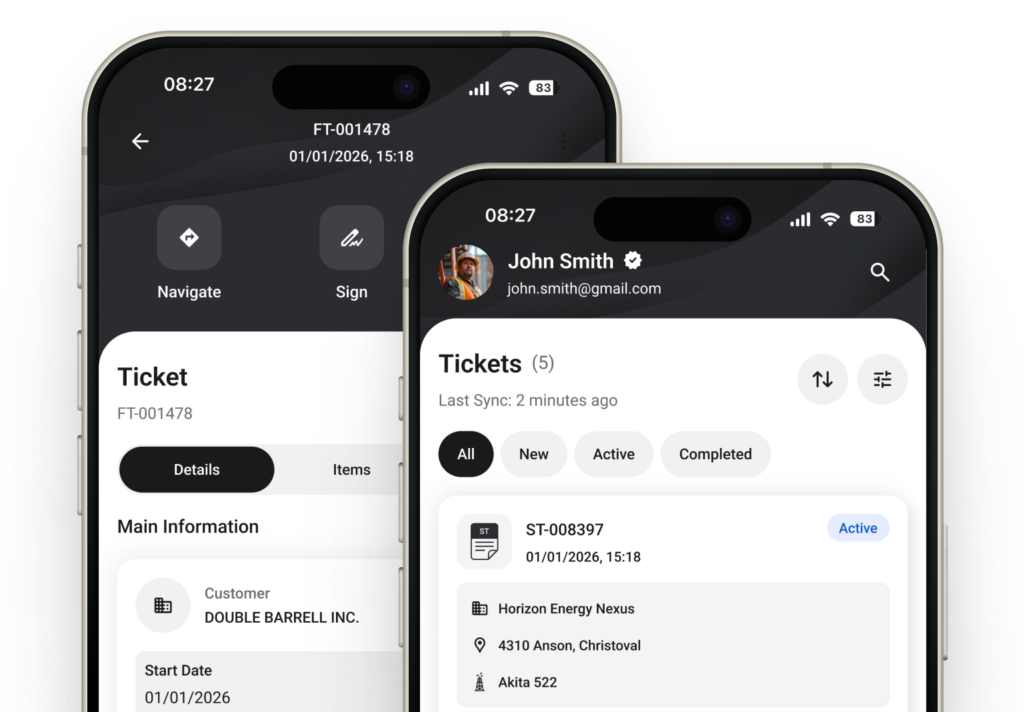

Stop losing job details between the field and the office
Handwritten tickets get lost. Phone calls get misheard. Spreadsheets filled out at the end of the day miss details. RigER PRO lets technicians document work while they’re still on location – when the information is accurate and complete.
- Capture details while the job is fresh
Customer, location, services, quantities, photos, and signatures – captured on site, not reconstructed after a 12-hour shift. - No more chasing signatures and approvals
Submit the ticket from the field. The office gets it immediately – no driving back to drop paperwork. - Spend time on the job, not on admin
Structured digital tickets take minutes. No duplicate entry. No rewriting illegible notes.

Trusted by 500+ Oilfield Service Companies






What field technicians actually need on site
RigER PRO is built around the daily reality of field work – remote locations, unpredictable conditions, and zero tolerance for wasted time.
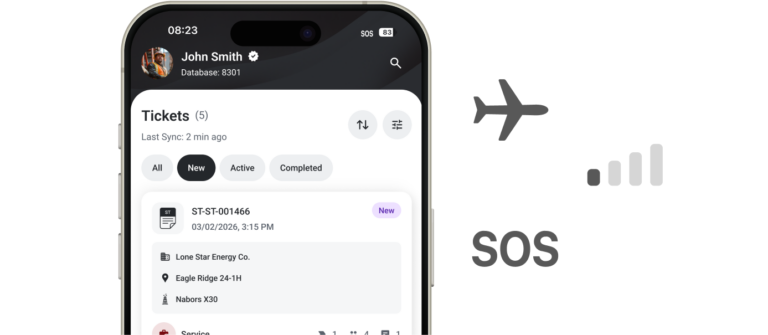
Works without cell signal
Remote well sites and dead zones don’t stop the workflow. Create and complete tickets offline – data syncs when you’re back in range.
Structured ticket format
No blank forms to figure out. The app walks you through each field – customer, location, services, pricing – so nothing gets skipped.
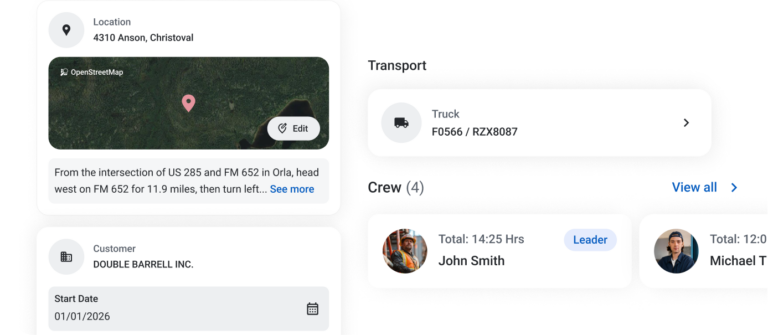
Instant delivery to the office
Submitted tickets land in the office web app in real time. No end-of-day handoffs, no scanning, no emailing photos of paper tickets.
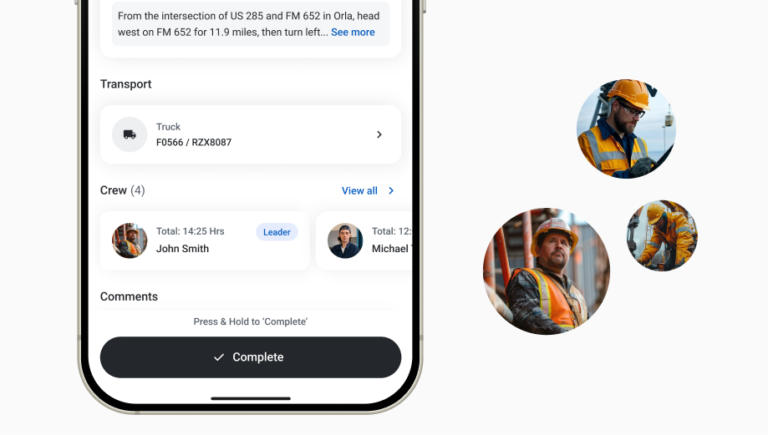
One app for any job type
Whether the job was dispatched from the office or started on demand in the field – the same app handles both. Single-ticket or multi-ticket, same workflow.

Pricing at your fingertips
Standard rates load from the company price list automatically. Adjust at the job level if the scope changes on site.
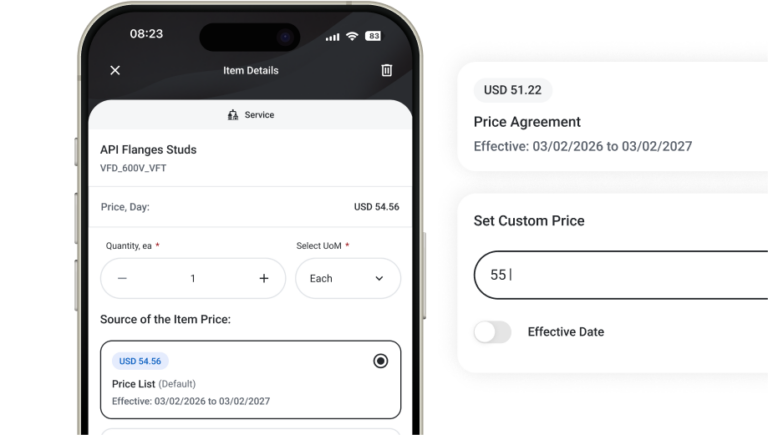
RigER PRO Workflow
A simple, mobile-first flow that takes you from field work to invoice – without the complexity of enterprise systems.
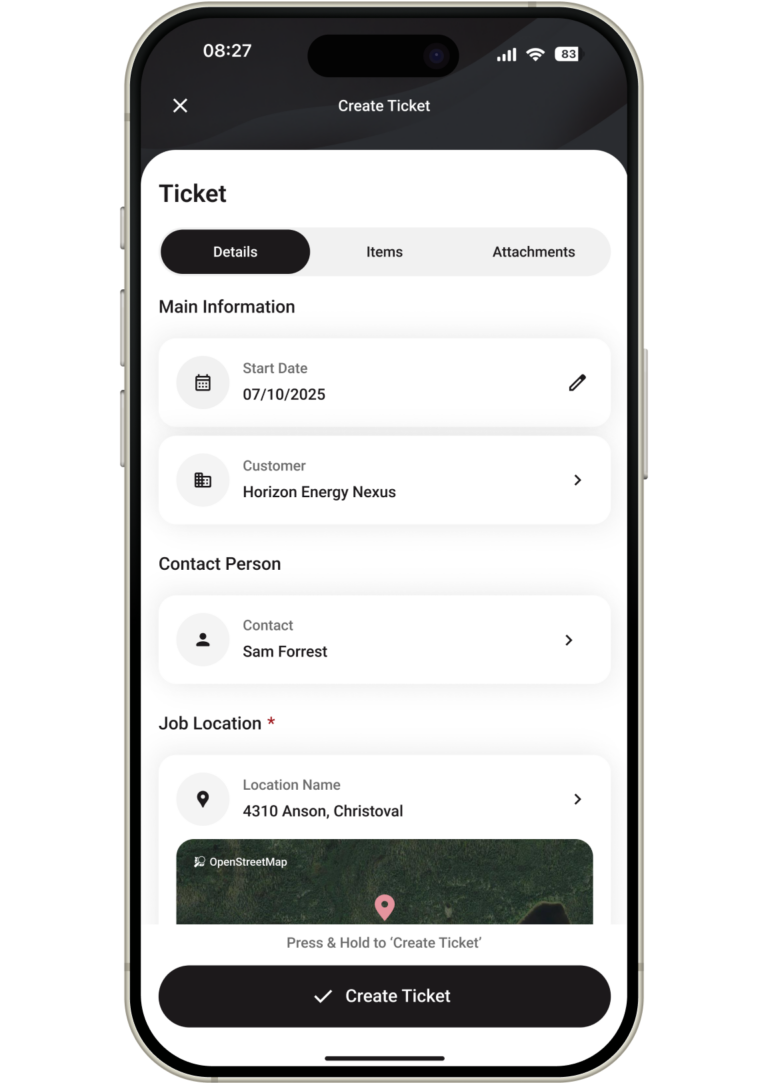
The technician arrives on site and opens RigER PRO Mobile on their phone. They start a new field ticket by selecting the customer and entering the job location. Services performed are added line by line, and pricing auto-populates from the company’s general price list – no need to look up rates or call the office for numbers.
If the scope of work differs from the standard – additional equipment, extra hours, a different service mix – the technician adjusts pricing right on the ticket. Everything is captured in a structured format while the technician is still on location and the details are fresh. No scribbling on paper, no trying to remember what happened at the end of a 12-hour shift. The ticket becomes the single source of truth for the job, started at the moment the work begins.
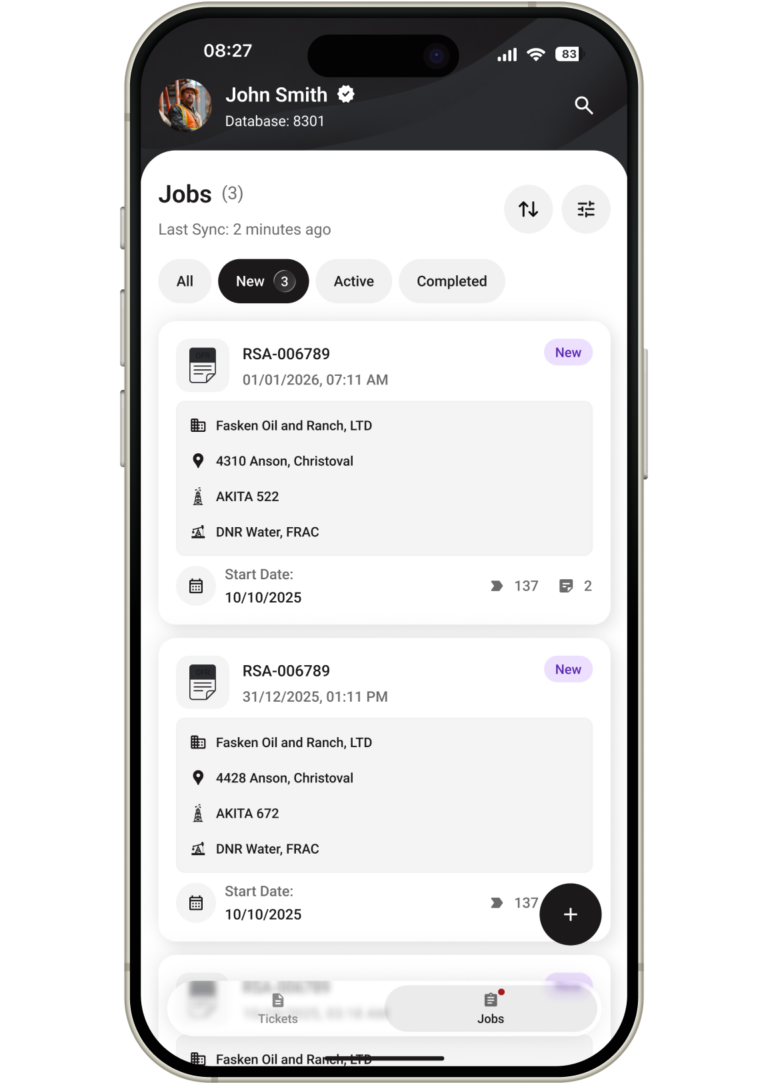
Once the ticket is initiated, a corresponding job is automatically created in the system. The office now has real-time visibility into what’s happening in the field – who’s on site, what location, and what services are being documented. This eliminates the blind spot that exists between dispatch and invoicing in paper-based operations.
If the job was dispatched from the office rather than started on demand, the flow works in reverse – the dispatcher or salesperson creates the job, prepares the field ticket, and assigns it to a specific technician. The technician receives the assignment on their device and picks up the pre-built ticket with customer, location, and expected services already filled in. Either way – field-initiated or office-initiated – the job exists in the system from the moment work begins, not hours or days later when someone gets around to entering it.
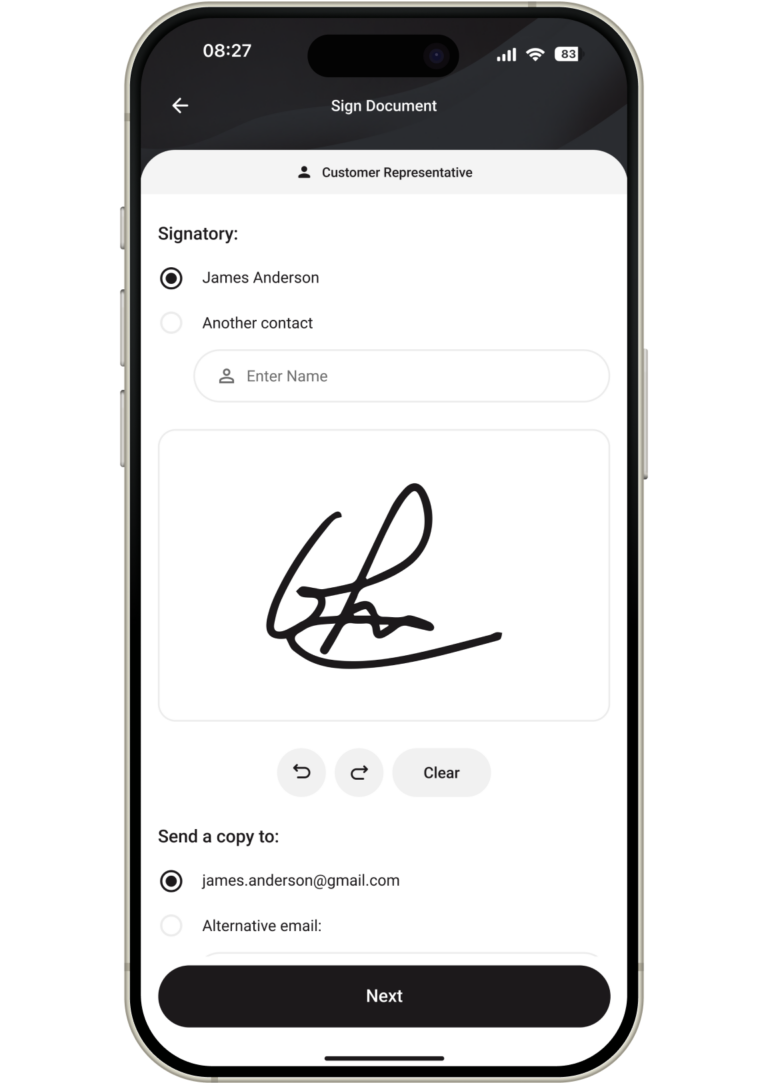
When the work is done, the technician finalizes the ticket. They review the services listed, adjust quantities if anything changed during the job, add any additional line items that weren’t in the original scope, and confirm that all details are accurate and complete. This is the technician’s last chance to make sure the ticket reflects exactly what happened on site.
Once satisfied, the technician submits the ticket. If they have connectivity, it syncs to the cloud instantly and appears in the office web app within seconds. If they’re in a dead zone – a remote well site, a basement, or anywhere without signal – the ticket is saved locally on the device and syncs automatically the moment connectivity returns. Either way, the submitted ticket is locked and becomes the official record of the work performed. No one can alter it after submission without a clear audit trail.
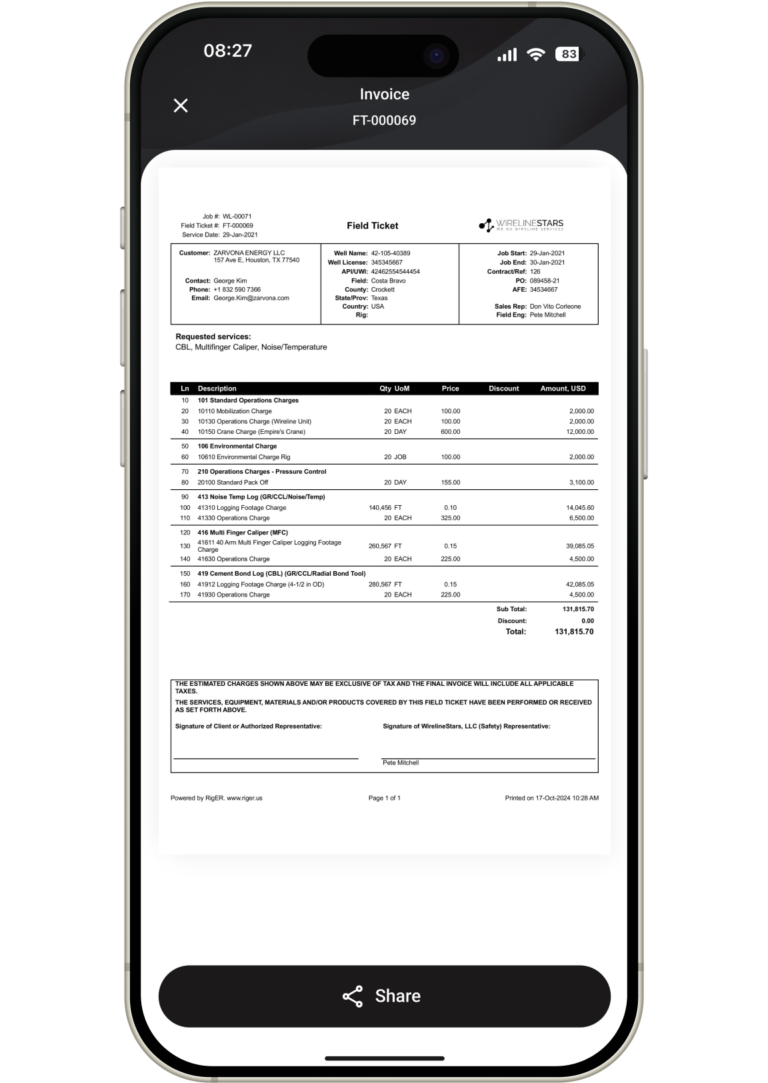
The office opens the completed ticket in RigER PRO Cloud. Every detail is already there – customer, location, services performed, quantities, and pricing – all entered by the person who actually did the work. There’s no need to call the technician for missing information, no need to decipher handwriting, and no need to cross-reference a paper ticket against a spreadsheet.
The office reviews the ticket, confirms the details, and generates the invoice directly from the ticket data. What the field entered is what the customer gets billed. This eliminates the re-typing errors, billing disputes, and delayed invoicing that plague paper-based operations. Jobs that used to take days or weeks to invoice can now be billed the same day the work is completed – improving cash flow and reducing the administrative burden on both the field and the office.
See RigER PRO in Action
Book a demo and we’ll show you how field crews create tickets on site, capture signatures and photos, and send clean data to the office – even from remote locations with no cell service.customer satisfaction ratings in the industry.