
See every job. Control every workflow.
Operations managers shouldn’t piece together the day from calls, texts, and spreadsheets. RigER PRO gives you real-time visibility into every job, every ticket, and every crew – so you can dispatch faster, catch issues early, and keep billing on track.
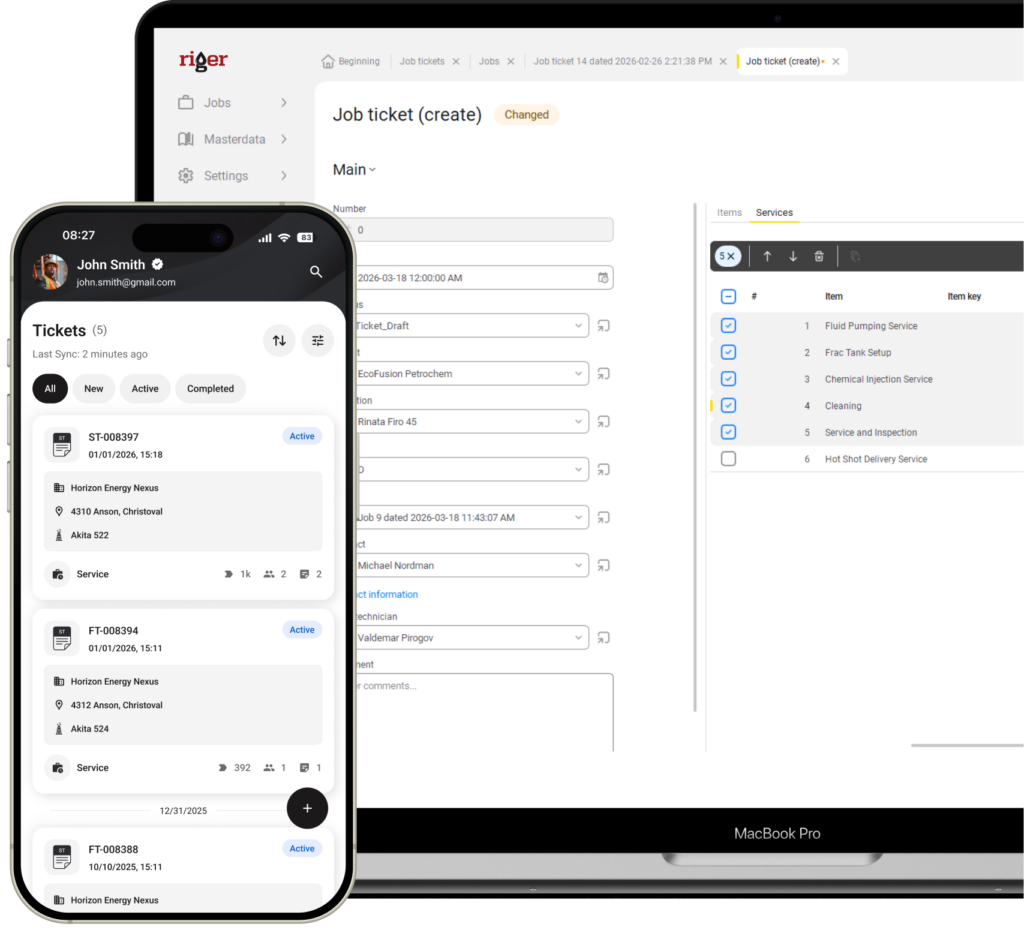
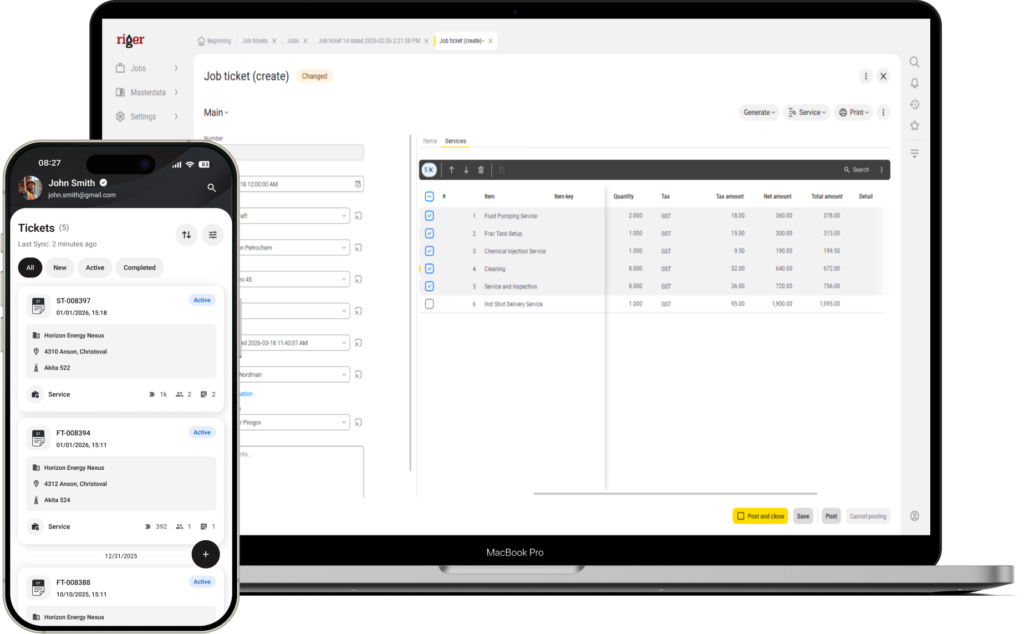

Stop managing operations from your inbox
When job details live in emails, text messages, and paper tickets scattered across trucks — you’re always one step behind. RigER PRO centralizes everything into one system so you know what’s happening in the field without chasing people down.
- Real-time visibility across every job
See which jobs are active, which tickets are submitted, and which are still in progress – without calling anyone. - Dispatch with confidence
Assign jobs to specific field employees, attach the right pricing, and know the ticket is in their hands before they leave the yard. - Catch problems before they become invoicing disputes
Review tickets as they come in and fix missing details, pricing changes, or scope creep before they hit the invoice.
Trusted by 500+ Oilfield Service Companies






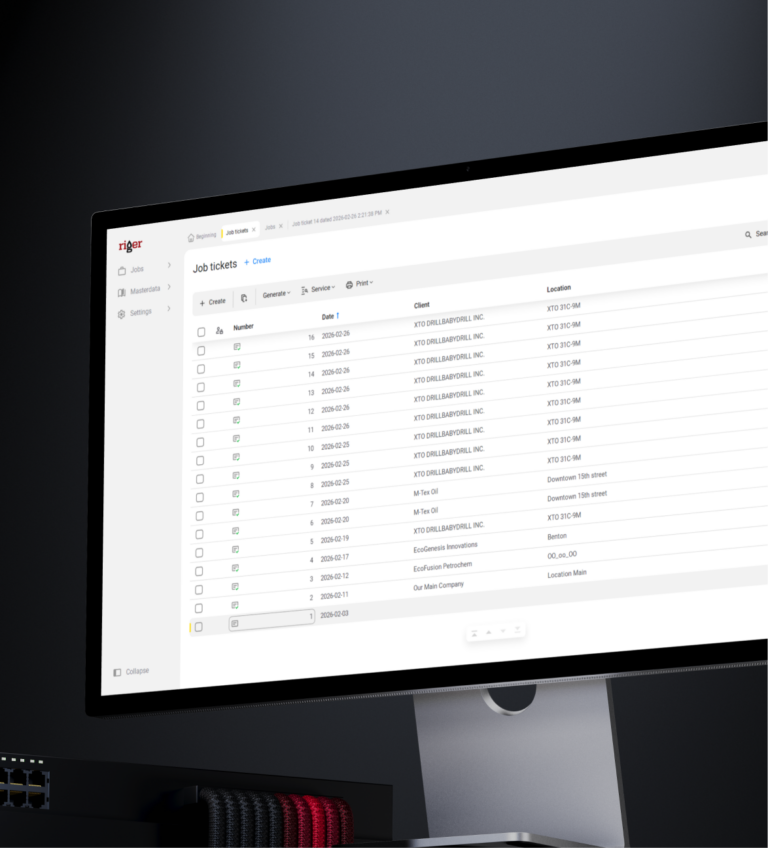
Full operational visibility in one place
Track every job from dispatch to invoice. Know what’s happening in the field without picking up the phone.
Start for FreeJob history and audit trail
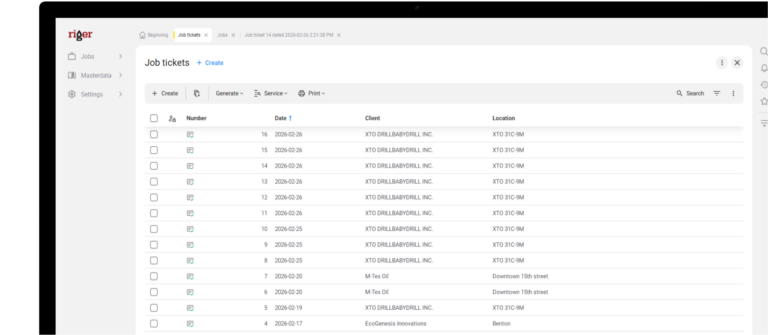
Every job, ticket, and invoice is stored and searchable. When a customer questions a charge six months later, you pull up the original ticket in seconds.
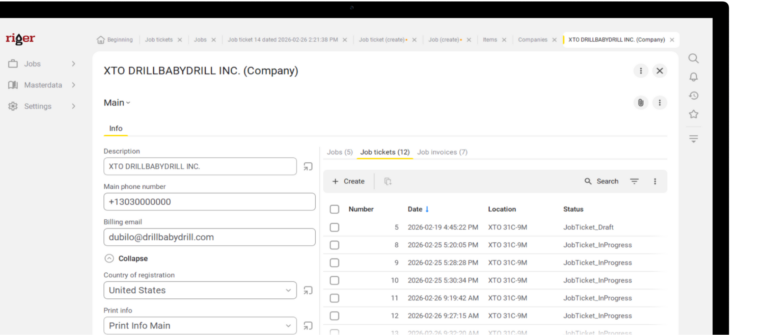
Multi-ticket job management
Complex jobs with multiple crews, stages, or visits are handled under one job with multiple tickets – keeping everything organized without workarounds.
Field and office on the same system
No more reconciling two versions of the same job. What the field enters is what the office sees — one source of truth from ticket to invoice.
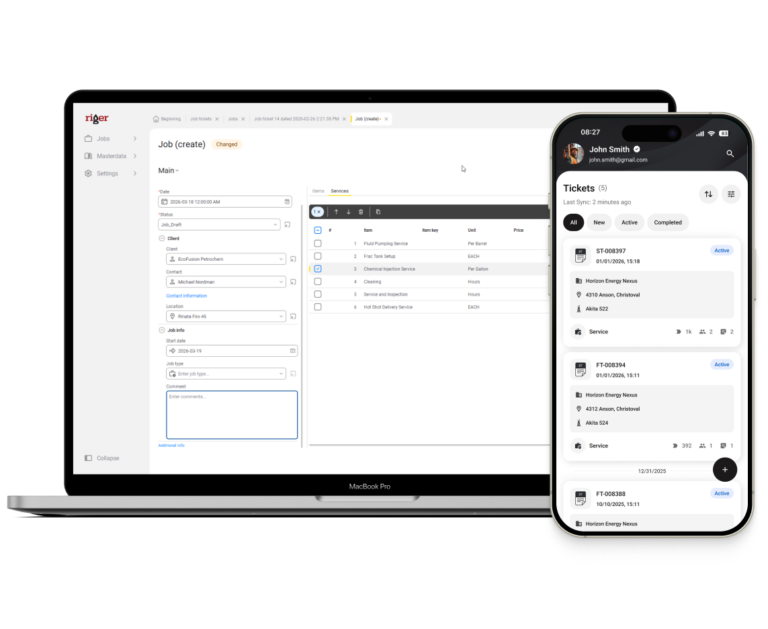
Team workload overview
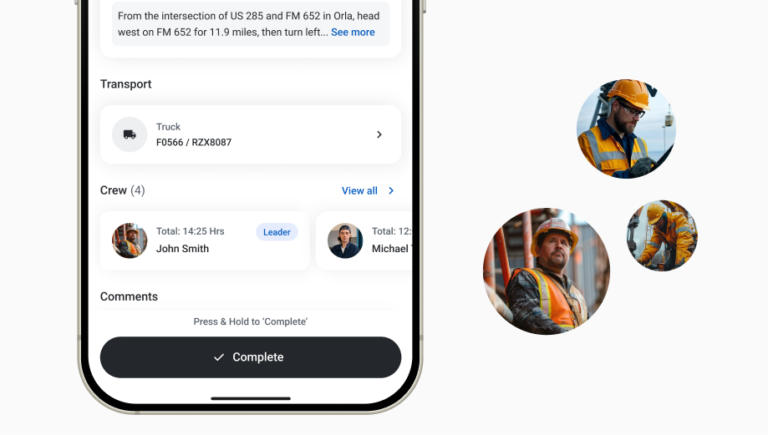
See which technicians have active assignments and which are available. Make dispatch decisions based on real data, not who picks up the phone first.
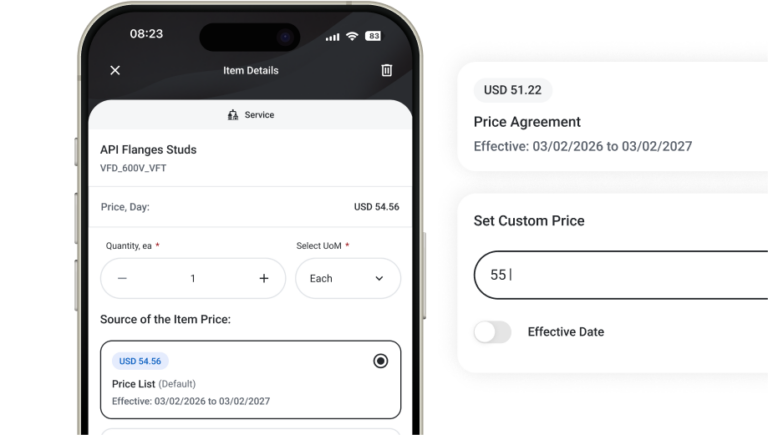
Pricing consistency across crews
The master price list ensures every crew quotes the same rates. When someone adjusts pricing in the field, you see it before the invoice goes out.
RigER PRO Workflow
A simple, mobile-first flow that takes you from field work to invoice – without the complexity of enterprise systems.
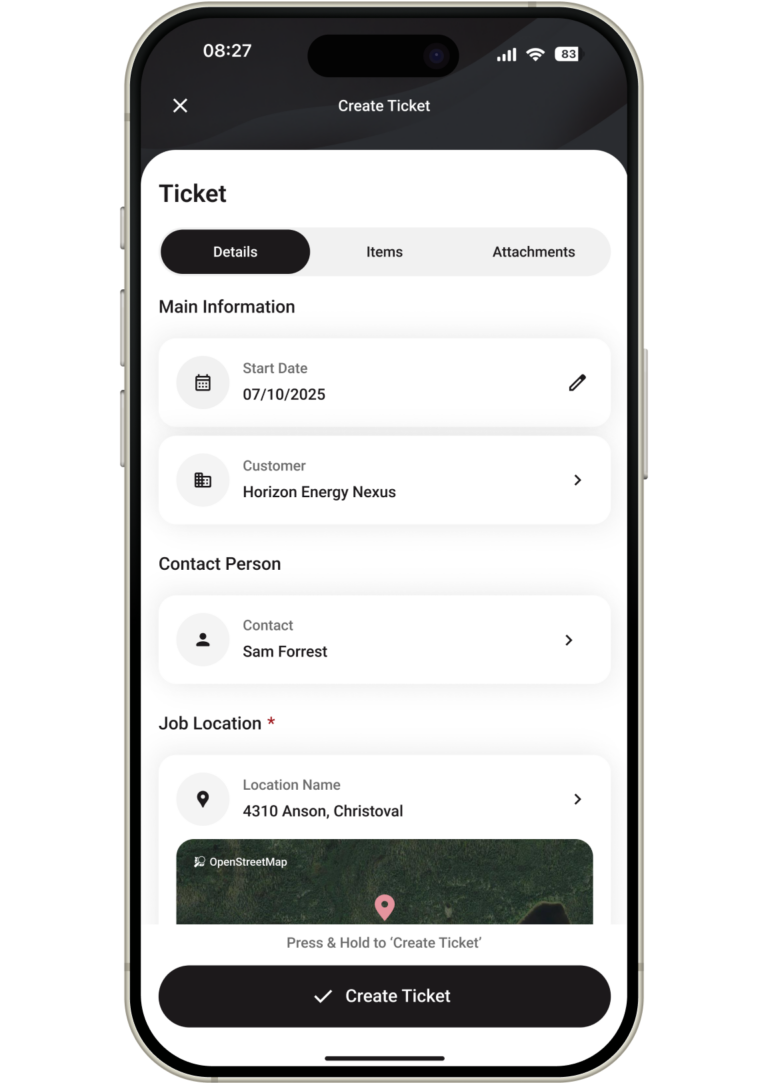
A job kicks off in the field and a technician opens a new ticket on their phone. As an operations manager, this is the moment unplanned work becomes visible. Instead of finding out about on-demand jobs days later – when someone mentions it in passing or a customer calls asking about an invoice – you see it in the system the moment documentation starts.
This is where you catch scope creep early. You can see what customer the technician selected, what location they’re at, and what services they’re logging. If something looks off – wrong customer, unexpected location, services outside the agreed scope – you know about it while the technician is still on site, not after the invoice has already gone out and the customer is on the phone.
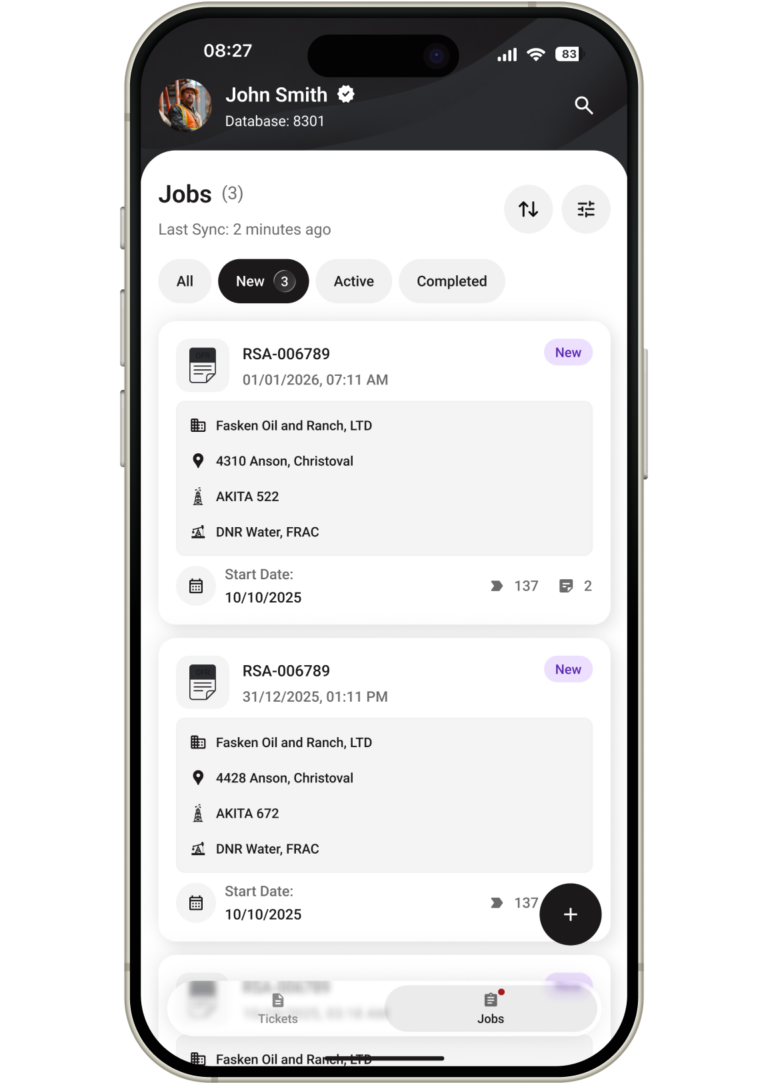
This is your control point. For dispatched work, you build the job in RigER PRO Cloud – select the customer, define the scope, attach the right pricing, and assign it to the right technician. You’re setting the parameters before anyone drives to the site. The technician receives a pre-built ticket with everything they need – no room for misinterpretation, no verbal instructions that get garbled over the phone.
For field-initiated work, the job appears in your dashboard automatically when the technician starts a ticket. Either way, you now have a complete picture of active work across your operation – planned and unplanned, dispatched and on-demand – in one view. No more piecing together what’s happening from text messages, radio calls, and whiteboard scribbles. You see every active job, who owns it, and where it stands.
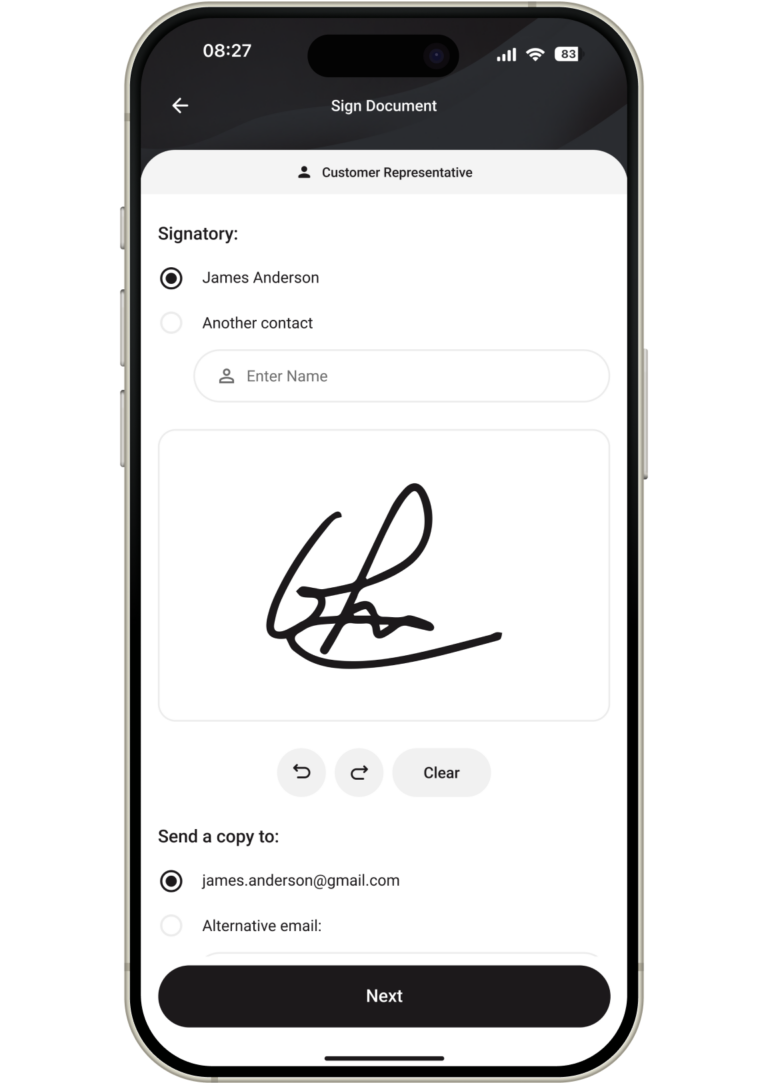
Tickets start landing in your queue. This is where your day either gets easier or harder – depending on whether you’re reviewing structured digital tickets or deciphering paper forms. With RigER PRO, every submitted ticket arrives in the same format with the same fields completed. You’re not guessing what a technician meant or calling them to clarify a scribbled note.
This is your quality gate. You review what was done against what was expected. Did the technician add services that weren’t in the original scope? Did they adjust pricing – and if so, was it justified? Are all the line items accounted for? You make these calls now, while the job is fresh and corrections are simple. In a paper-based operation, these discrepancies surface weeks later during invoicing – when the technician doesn’t remember the details and the customer disputes the charge.
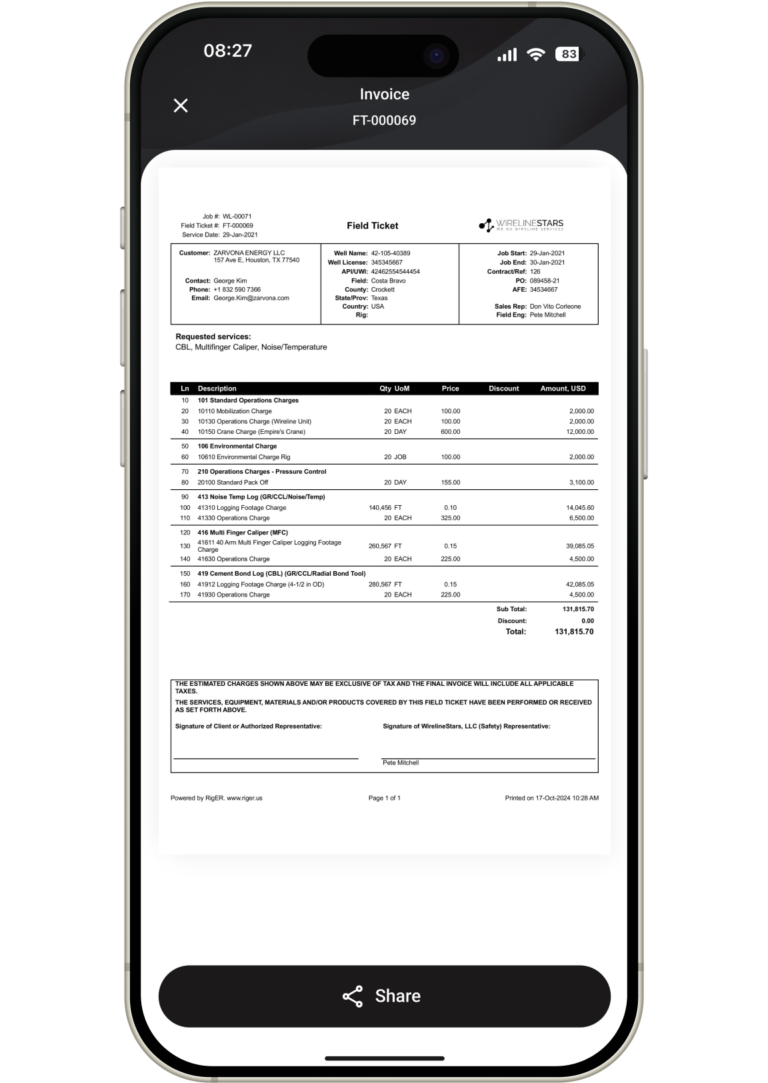
By the time a ticket reaches invoicing, you’ve already reviewed it. The data is clean, the pricing is verified, and the scope matches what was agreed. The office generates the invoice directly from the ticket – no re-entry, no interpretation, no back-and-forth between departments trying to reconstruct what happened on site.
This is where the operational payoff shows up. You can trace any invoice back through the ticket to the original job – who created it, who worked it, what was charged, and whether anything was adjusted along the way. When a customer calls with a question about a line item, you don’t scramble – you pull up the ticket and walk them through it. Your billing cycle shrinks from weeks to days. Disputes drop because the invoice matches the work. And you spend your time managing operations instead of chasing paperwork across the building.